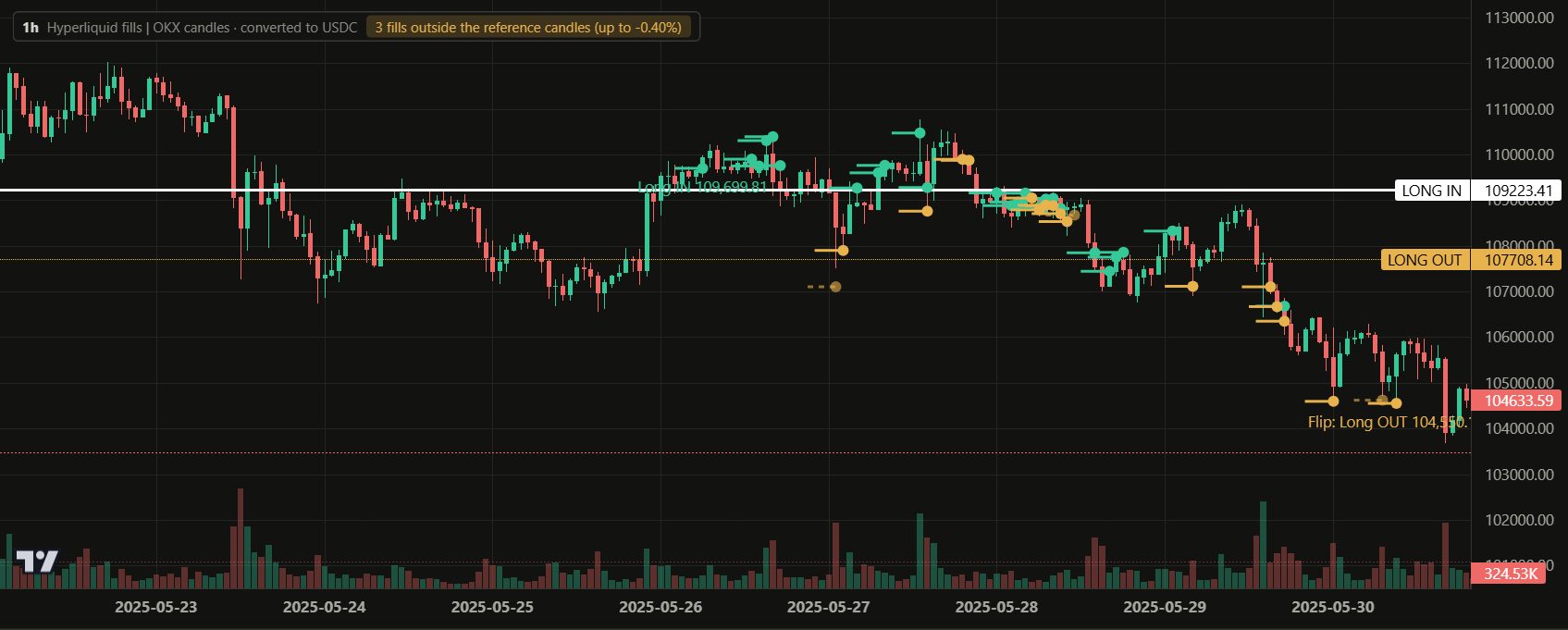
Hyperliquid trade history, replayed on the chart
Hyperliquid fills are public. Paste a wallet address into Trade Replayer and your browser reads that wallet's fills straight from Hyperliquid's public API, rebuilds them into positions, and marks every open, add, reduce, close and flip on the chart. No private key, no API key, no wallet connection.
How to do it
- Open the replayer.
- In the left sidebar, under the trader selector, click +Wallet.
- Paste a Hyperliquid address (starts with 0x, 42 characters). A counter shows how many fills have been read.
- Give it a name. The positions appear in the list; click any one to see it on the chart.
Each time you open the replayer afterwards, new fills are added automatically.
What you see
- Every fill at its real price. Opens, adds, reduces, closes and flips are marked separately; hover a marker for its time, size, position change and order ID.
- Positions, not a fill list. Fills are grouped from open to flat, with net P&L after fees and holding time for each position.
- Any timeframe. One, two or four charts side by side, from 1 minute to 1 day, with EMA/MA, Bollinger Bands, VWAP, RSI or MACD.
- Diagnostics. How concentrated the profits are, what is left without the best trades, and trades sorted by P&L or holding time.
Free and Pro
Free syncs one wallet and its last 30 days. Pro syncs up to five wallets with all the history the API provides, and unlocks every trade of the built-in traders.
Privacy
Your browser reads the fills from Hyperliquid directly; they do not pass through our server. If you sign in, the wallet address and the name you gave it are saved to your account so other devices can restore them. Privacy policy
Questions
Can I look at someone else's address?
Yes. Hyperliquid fills are public, so any address can be read. Several well-known traders are already rebuilt in full on the site, such as James Wynn, The White Whale and Machi Big Brother.
Do I need to connect my wallet?
No. Only the address is used, and nothing can trade or move funds.
How is this different from a fill list?
A fill list shows hundreds of rows per trade. Here the fills become one position with a start, an end and a net result, and you see where each add and reduce happened on the chart.
Example